Every AI agent's access needs an end date
List the AI agents your team connected, give each agent's access an end date and ask whether it's still needed before you renew it
Juan Miguel Jiménez P. · November 23, 2026 · 7 min read

What happens at your company when someone changes roles? There's usually a handover: the person passes on their open work, someone takes it over and IT adjusts their access to the new role. It's a routine your company has probably already sorted out, with its own checklist and its own owner.
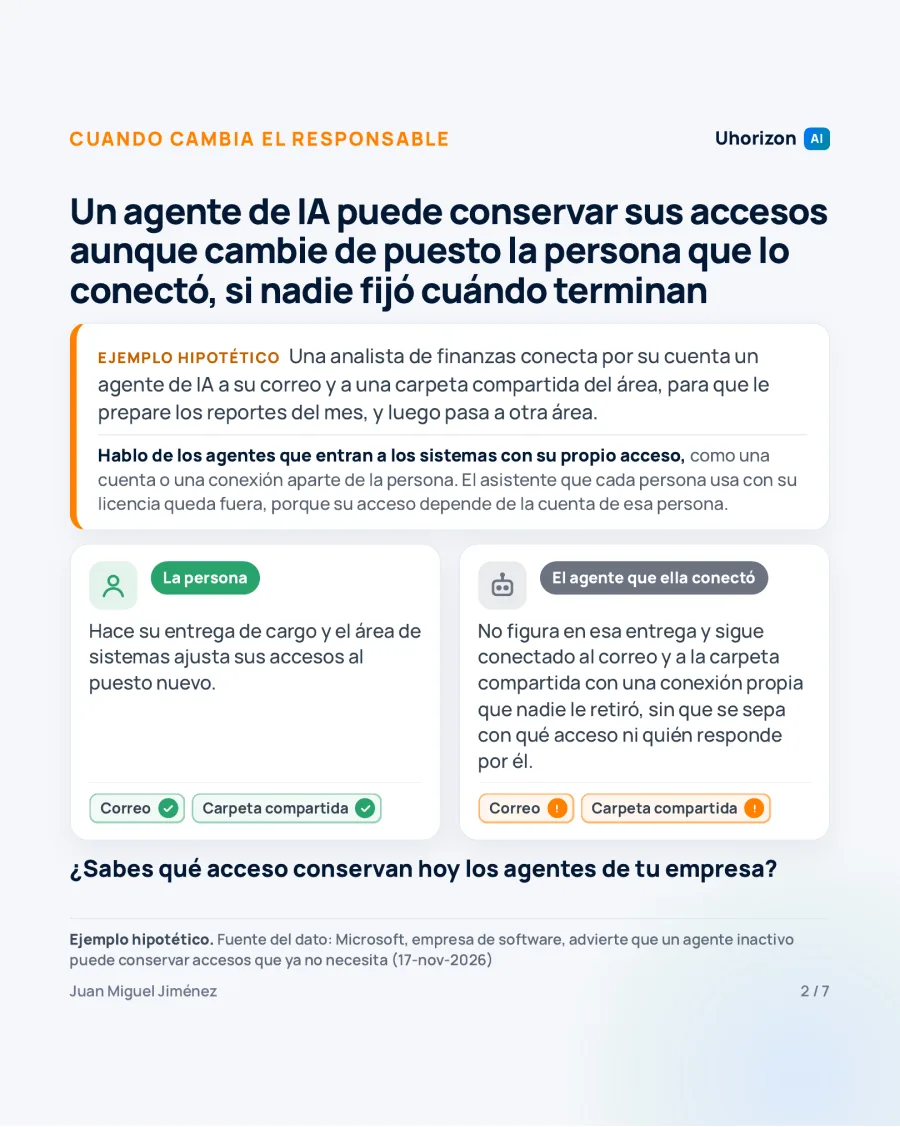
Now think about what that handover can't see. A finance analyst connects an AI agent to her email and to a shared team folder on her own, so it can prepare her monthly reports. A few months later she moves to another department, does her handover and gets her access adjusted. The agent she connected is still there, with its own connection, and nobody knows what it can do or who answers for it.
The example is made up. Sound familiar?
I'm talking here about agents that connect to your systems with their own access, such as an account or connection separate from the person's. The assistant each person uses under their own license depends on that person's account, so it isn't part of this review.
An AI agent can keep its access even after the person who connected it changes roles
In the example, the problem is that nobody set a date for that access to end. The handover reviewed the person and left the agent out, because nobody had written it down anywhere. So the agent keeps accessing the email and the folder with the same access it had on day one.
Microsoft warns about this in an announcement about its tool for managing agents: an agent without an owner has no one accountable for it, and an inactive agent can keep access it no longer needs. That comes from the vendor selling the tool, so read it with that in mind. Even so, it describes a risk your head of IT will understand without any explanation.
Do you know what access the agents at your company still have today? Nobody decided it, and nobody took it away.
An AI agent needs the same access review your company already runs when a person changes roles
You don't need to invent a new procedure. When a person hands over their role, you already review which systems they use, who takes over their open work and which access gets removed. With an agent that has its own access, you review the same things, and I split it into two parts: first, know which agents you have, and then decide when each access ends.
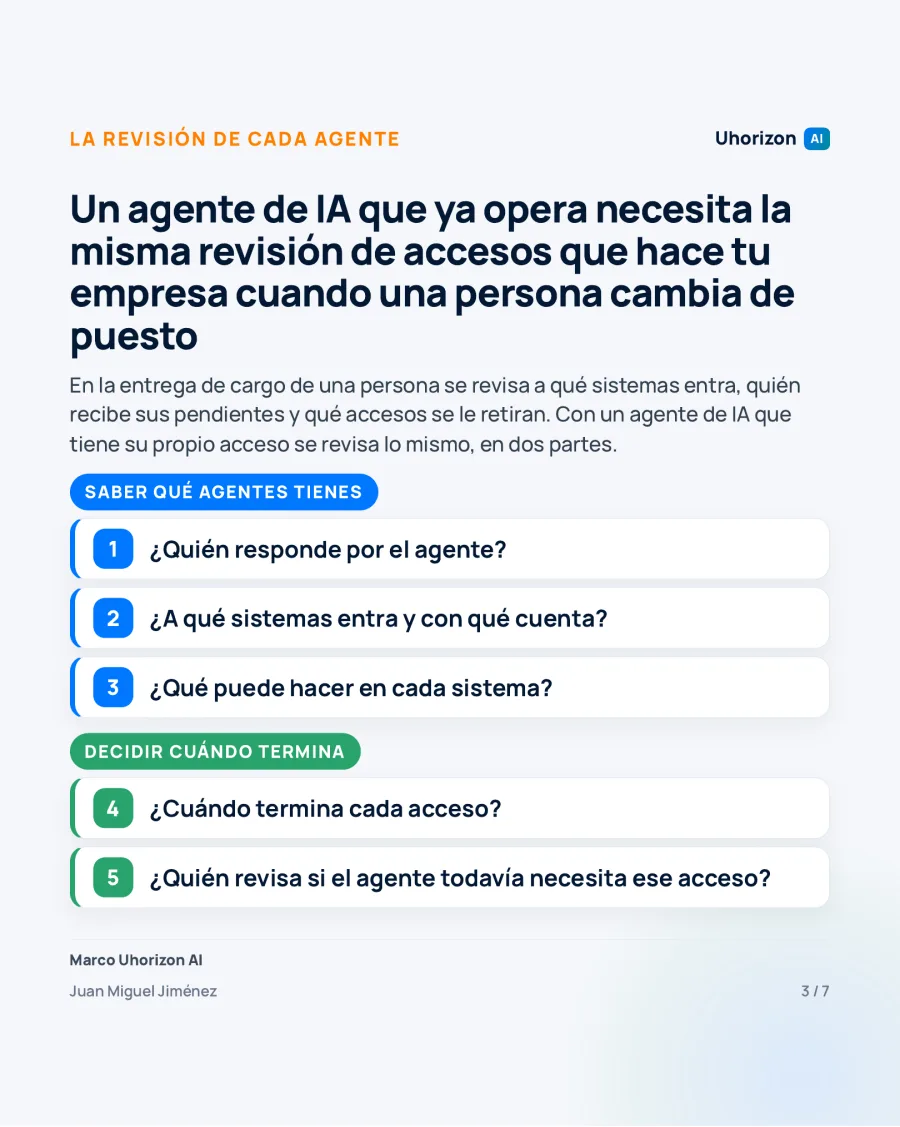
The first part is a list, simple and boring, like any useful list. For each agent, you write down who answers for it, and it has to be a person with a name and a title. You also write down which systems it can access (email, folders, the CRM or billing) and whether it uses its own account or the account of whoever connected it. If it uses the account of whoever connected it, flag it so it goes to a separate review. And you write down what it can do in each system: whether it only reads, or whether it also changes data and sends messages.
The separate account matters more than it seems. NIST, the US standards institute, proposes that every agent have its own identity, separate from people's, so it's harder for it to act by posing as someone on your team. And with its own account, you can tell what the agent did apart from what the person did.
With that list in hand, you can decide which access is still needed and which isn't.
An AI agent's access ends when the task closes or on a fixed date, and gets renewed only if someone explains why it's needed
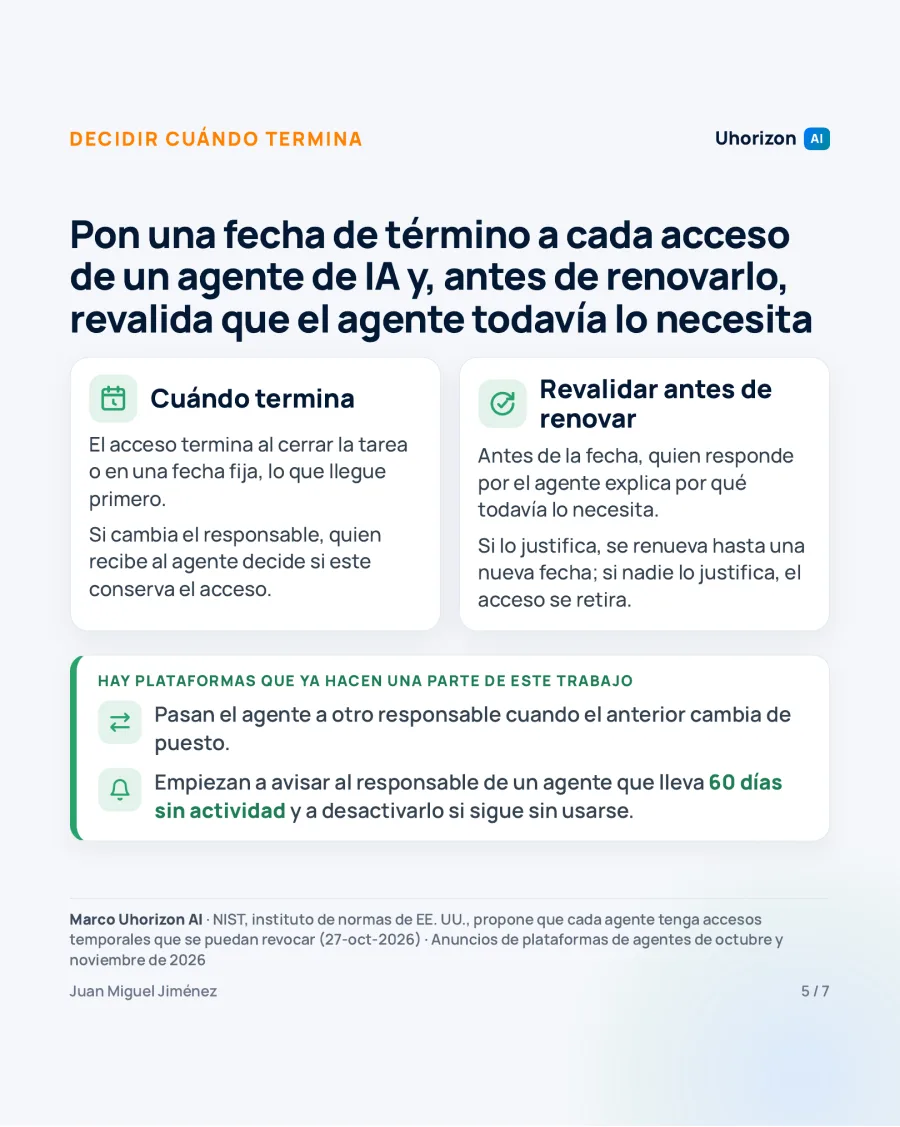
This second part is the one I care about most. What I propose is that each agent's access last until the task closes or until a fixed date, whichever comes first. And if the owner changes, whoever takes over the agent decides whether it keeps that access.
Why a date? To force a conversation that almost never happens without one. Before it expires, the person who answers for the agent explains why it still needs that access. If they can justify it, it's renewed until a new date, and if nobody justifies it, the access is removed. Notice that the default is to remove, because if nobody stands up for an access, it most likely isn't needed anymore.
NIST points the same way: it proposes that an agent's access be temporary and revocable, and that the agent hold none while it isn't working. Some platforms already cover part of this. Microsoft, for example, moves the agent to a new owner when the previous one changes roles or leaves the company, and is testing, still in preview, an alert to the owner of an agent that has gone 60 days without activity, with the agent disabled if it stays unused.
That inactivity rule catches the agent nobody uses. An end date for each access also covers the agent that gets used every day and may no longer need access to billing.
AI agents belong in every role handover, with their access and their end dates
If you wanted to start tomorrow, this is what I'd do:
- Add AI agents to the handover, along with the person's own access, so nobody leaves without saying what they left connected.
- Ask each department head to list the agents their team connected on their own, along with each agent's owner, because that's how the ones nobody registered turn up.
- Require every agent to access your systems with its own account, separate from the account of whoever connected it.
- Put each end date on the owner's calendar and remove any access nobody justifies in time.
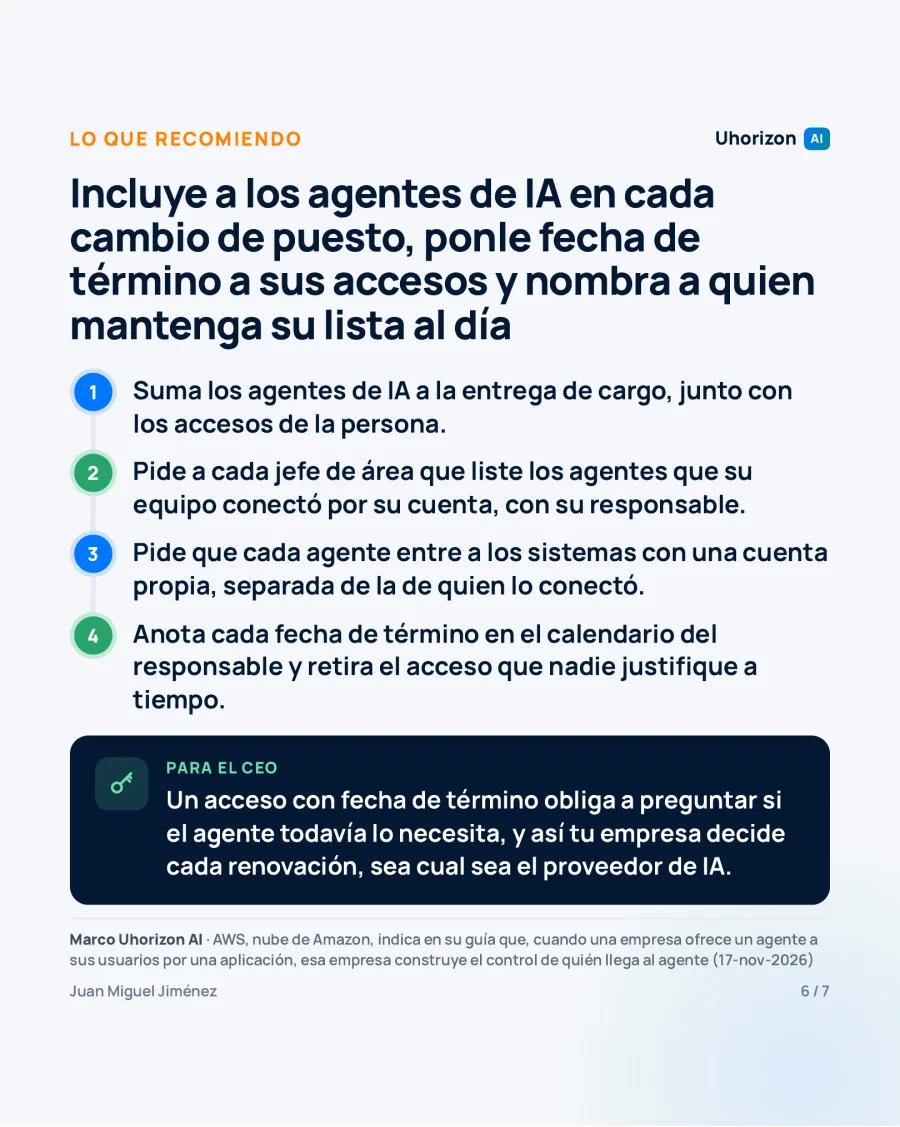
AWS, Amazon's cloud platform, spells out in one of its guides that when a company offers an agent to its users through an app, that company builds the control over who can access the agent. It's a different control, but it points the same way: platforms bring the tools, and the decision to renew each access is your company's, whatever AI vendor it uses.
Back to the finance analyst. If her agent had been on the list, with her as the owner and an end date, her move to another department would have raised one short question during the handover: who takes over the agent, and does it still need access to that email?
If you'd like to talk it through, happy to.
The data in this article comes from these sources
- Microsoft, November 17, 2026. What's new in Microsoft Agent 365: Ignite 2026. Warns that an agent without an owner has no one accountable for it and that an inactive agent can keep access it no longer needs. It says so in the section on a feature announced in preview.
- NIST (National Institute of Standards and Technology), the US standards institute, October 27, 2026. Design Tenets for Agent Identity Management Systems. Proposes that every agent have its own identity and temporary, revocable access. NIST itself presents it as an initial set of principles.
- Microsoft Learn, page updated on November 17, 2026. What's new in Microsoft Entra Agent ID. Automatic handoff of an agent to a new owner when its current owner changes roles or leaves the organization, in a generally available product.
- Microsoft, November 6, 2026. What's new in Microsoft Entra: November 2026. An alert to the owner after 60 days of inactivity and the agent disabled if it stays unused, in public preview.
- AWS, November 17, 2026. Securely exposing Amazon Bedrock AgentCore Runtime. The company that offers the agent to its users builds the control over who can access it.
- An AI agent is an assistant that, besides answering, carries out steps on its own, like reading an email or saving a file to a folder.
- The finance analyst example is hypothetical. The two-part review, the end date, checking again before renewing and the recommendations are Uhorizon AI's own approach.